aindrive
Open an aindrive drive as a folder, and let agents work in it.
- الإصدار
- 0.1.0
- واجهة برمجة الإضافات
- 0.1.0
- التنزيلات
- 3
- الإعجابات
- 0
التثبيت في Memona
لتثبيت إضافة، افتح الإضافات في Memona وابحث عنها في قسم التصفح.
الدليل
# Memona aindrive plugin Opens an [aindrive](https://github.com/ainetwork-ai/aindrive) drive as a folder inside Memona, so agents and the file manager work in it like any local directory, from any machine. The plugin is a WASI component: it speaks no sockets of its own and makes every request through the host's HTTP interface, to the drive's remote MCP endpoint, with the drive's access token. It registers one provider, `aindrive`, for the `aindrive` scheme. This package requires a Memona version that supports plugin manifest schema 2. ## Connecting In aindrive, open the drive and choose **MCP** in its sidebar. Copy the **Server URL**, then under **Option B · Access token** generate a token and copy it; aindrive shows it only once. | Field | Meaning | | --- | --- | | Server URL | The drive's MCP server URL, for example `https://aindrive.ainetwork.ai/mcp/d/AbCdEf123456`. The drive's own page address, `…/d/AbCdEf123456`, works too, as does a self-hosted server. | | Access token | The `aind_pat_…` token, stored as a secret | 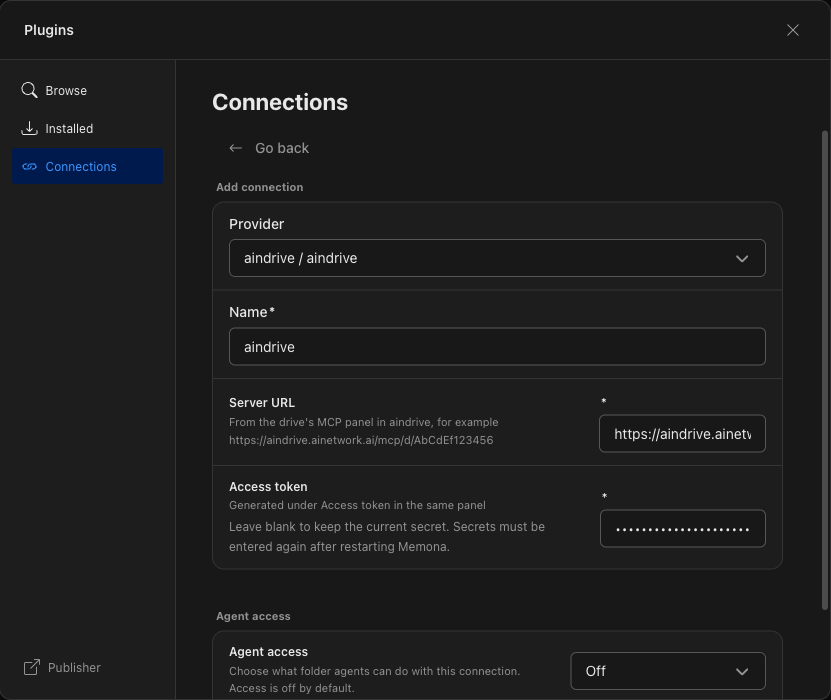 Saving the connection checks the address and the token. With a wrong token the connection shows as **Disconnected**: 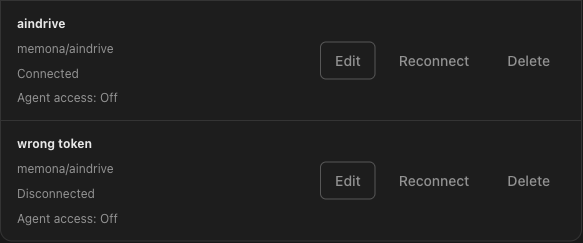 The check does not need the machine that shares the drive to be online, but its files only answer while that machine runs aindrive. Until then the connection stays **Connected** and the plugin reports the drive unavailable, which Memona shows as a folder that cannot be read:  ## What works Browsing folders, and reading, saving and deleting files. A token generated as **Read only** opens the drive read-only. 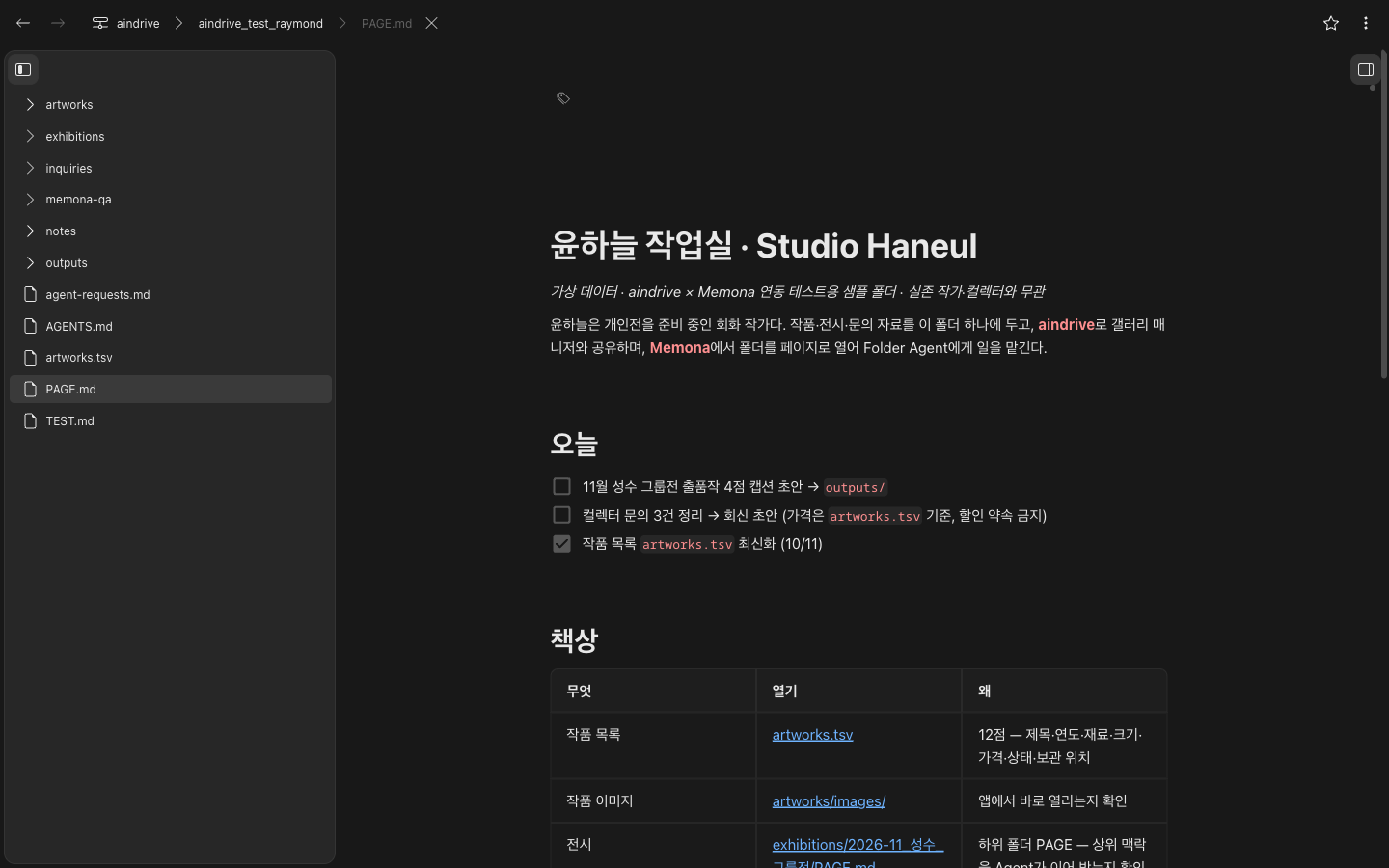 aindrive reads a file whole, at most 8 MiB at a time, so a larger file is refused as unsupported rather than cut short. A read is checked against the size the drive reported a moment before, so a file that changes in between is a conflict rather than a mix of two versions. A save sends the file whole, up to 1 MiB, the most Memona saves in one transfer. It names the revision it was read at, and aindrive compares and writes under one lock, so a file someone changed since is reported as a conflict instead of being overwritten. A save into a folder that does not exist yet creates that folder, as aindrive does. 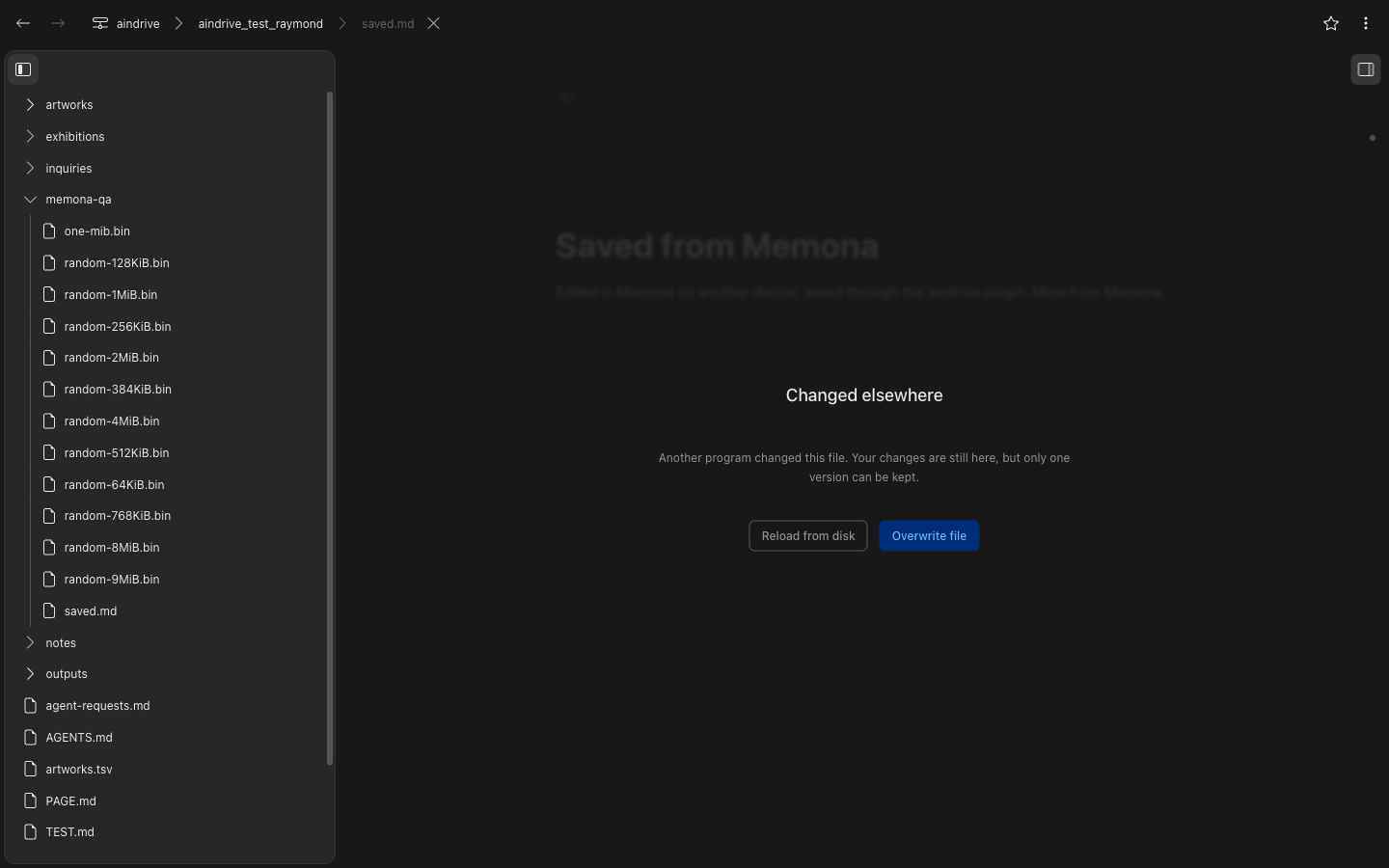 Deleting takes one file. A folder is refused: aindrive deletes a folder with everything in it, and leaves some entries, such as `.git`, out of every listing, so a folder cannot be shown to be empty first. Creating folders, renaming and change polling are not supported, since the drive's MCP endpoint offers no tool for them. Names the drive's machine allows but Memona cannot show, such as one containing a backslash, are left out of listings. ## Building ```sh rustup target add wasm32-wasip2 cargo build --locked --release --target wasm32-wasip2 ``` The component lands at `target/wasm32-wasip2/release/memona_plugin_aindrive.wasm`. `wit/filesystem.wit` is a copy of the canonical Memona filesystem contract, and `src/sdk.rs` generates the guest bindings from it, so this repository builds without a Memona checkout. Refresh the copy from `plugin_system/sdk/wit` in the [Memona repository](https://git.capsulizers.com/lead/memona) when the contract moves, and keep `apiVersion` in `manifest.json` in step. ## Packaging for the plugin store A `.memona-plugin` package is a ZIP archive with the files at its root, never inside a directory: ```sh cargo build --locked --release --target wasm32-wasip2 cp target/wasm32-wasip2/release/memona_plugin_aindrive.wasm plugin.wasm zip memona-plugin-aindrive.memona-plugin \ manifest.json plugin.wasm README.md LICENSE ``` `manifest.json` and `plugin.wasm` are required; `README.md` becomes the guide on the plugin's public page and `LICENSE` is shown beside it.